Skip to content
Quantil Documentation
Manage Transport
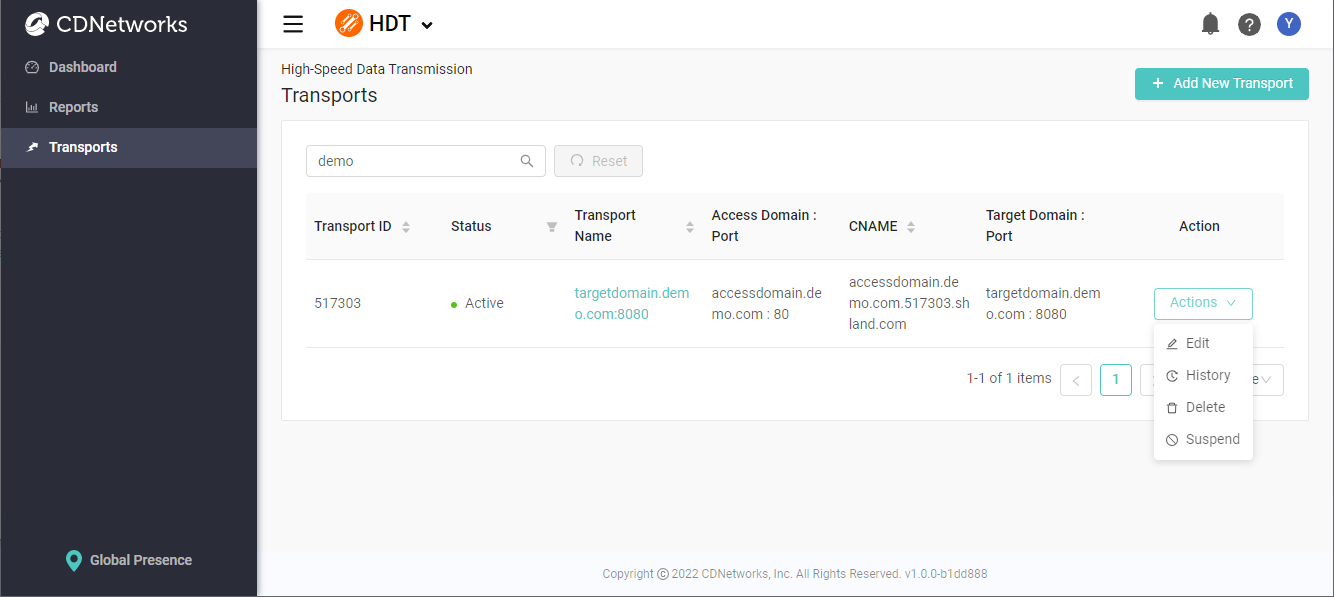
Clicking Transports in the left pane displays the Transports page.
-
To filter transports, type characters in the search box and then press the Enter key or click the magnifier icon. Filtering is case insensitive. To remove the filter, click the Reset button.
-
To view detailed configurations of a transport, click its Transport Name.
-
To edit, show history, delete, active, or suspend a transport, click the Action drop-down box, and select the action you want to perform.
-
To add a new transport, click the + Add New Transport button in the top-right corner.